Credits and plan access determine which work you can run in the account. Use the displayed estimate before starting a measurement.

Check before a run

  1. Open the intended project.
  2. Select Runs.
  3. Read the estimated cost and available balance.
  4. Start the run only when the estimate fits the work you intend to do.
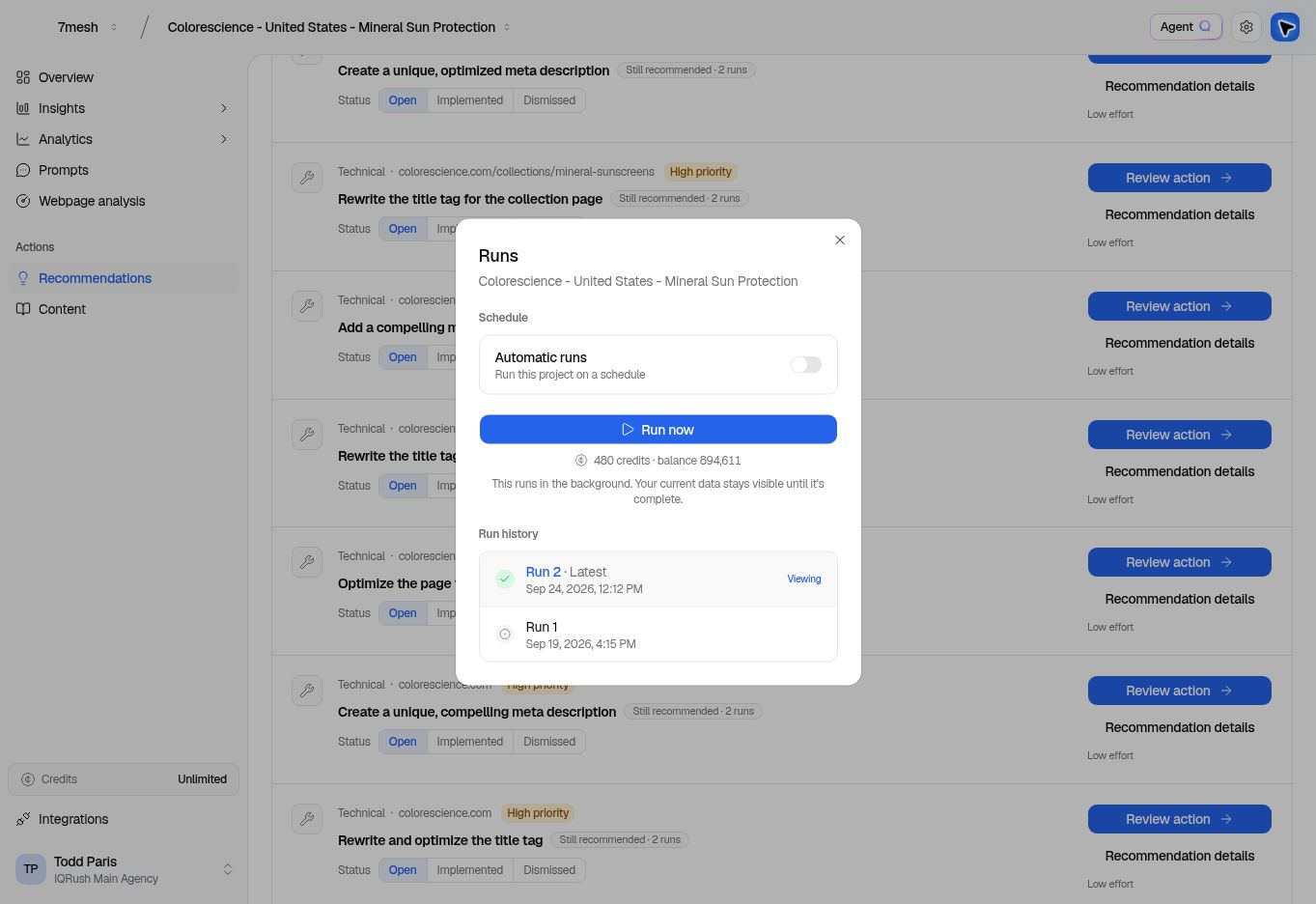
The Launch screen shows a credit estimate too. Selecting different topics or engines can change the estimate during setup.
Runs with the estimated credit requirement and balance.

The screenshot’s estimate and balance belong to this example account. Use the values displayed in your own project.

Open plan settings

Select Credits near the bottom of the left menu, or open Settings → Plan when that section is available to your role. Review Credit usage, the current plan information, and the limits shown for your account. Organization credits are shared across its workspaces and projects. If Top up credits is available, review the offered pack and checkout details before completing a purchase. The prices and available plans in your account are the current reference.

Understand unavailable actions

An engine, topic selection, invitation, or schedule may be unavailable because of plan access, account state, or your role. Read the message attached to the disabled control. If the launch screen says you need more credits, adjust the setup where appropriate or ask the account administrator to review the balance. A plan limit is different from a missing result. Changing a filter cannot unlock a plan feature, and buying credits does not create results for a project that has not run.

Plan recurring work

Automatic runs repeat according to their schedule and use credits. Choose a frequency your team can review, and check it when adding more projects. Plan for decision-grade evidence, rather than collecting the largest possible number of answers. Too few can leave the result unsettled or the signal indistinguishable from noise. After convergence, additional collection may offer diminishing benefit for your decision. Use Results stability, Domain SNR, and the confidence intervals to guide that judgment; do not treat a fixed prompt count as a guarantee of sufficiency. Next: Set a run schedule.