

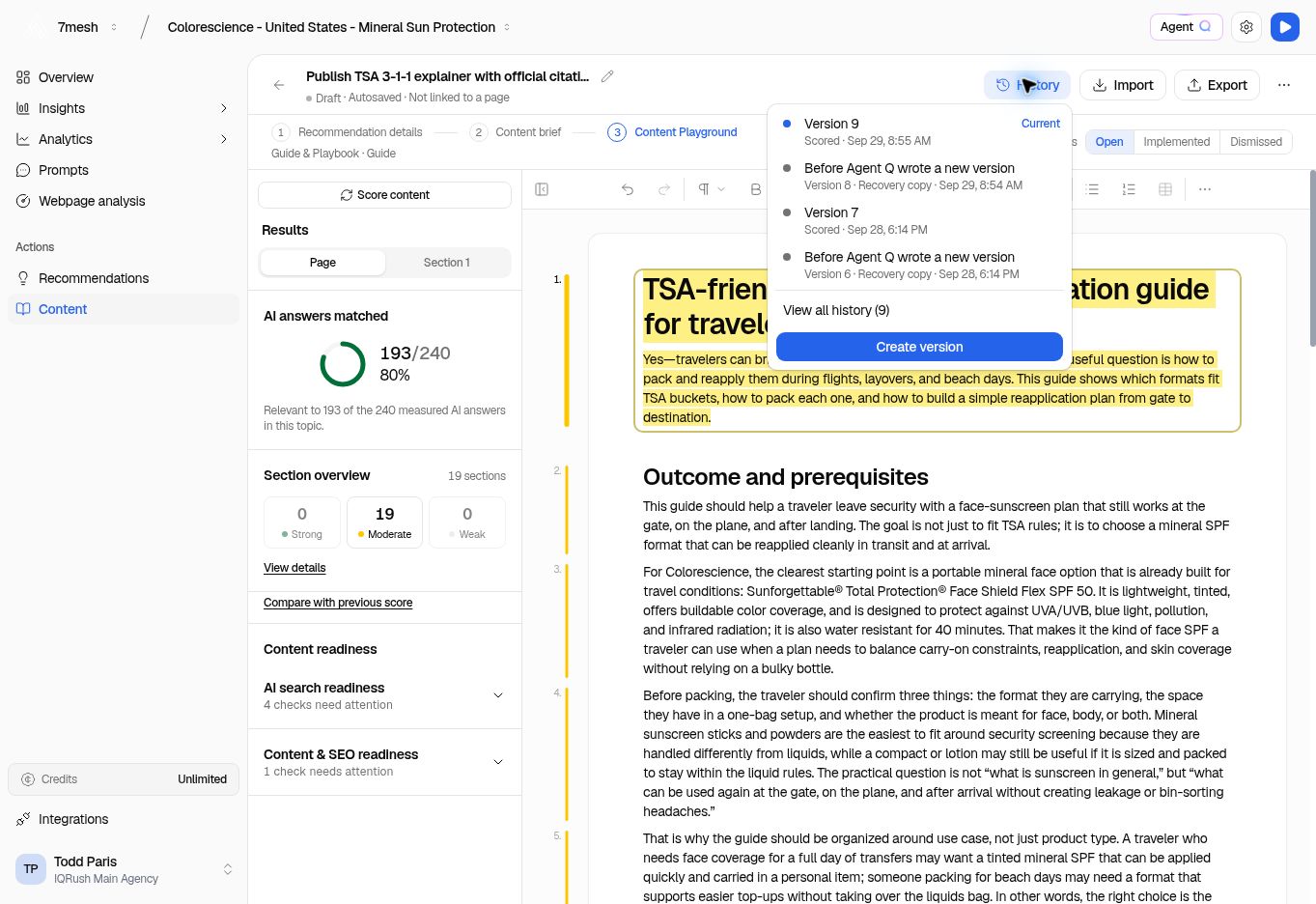
Use the version name and date to identify the text you want. A recovery copy is separate from the current working version.
Save a named version
- Open the document in Content Playground.
- Wait for the latest text to save.
- Select History.
- Select Create version.
- Enter a name, such as “First editorial review,” or leave the name empty for default naming.
- Select Create version in the dialog.
Inspect an earlier version
- Open History.
- Select a saved version.
- Use View all history if the one you need is not in the recent list.
- Read the version in the preview. Use Show changes when it is available to compare the text.
- Use Back to current version when you are finished.