Content Playground is the editor where you turn a brief or existing page into a working draft.
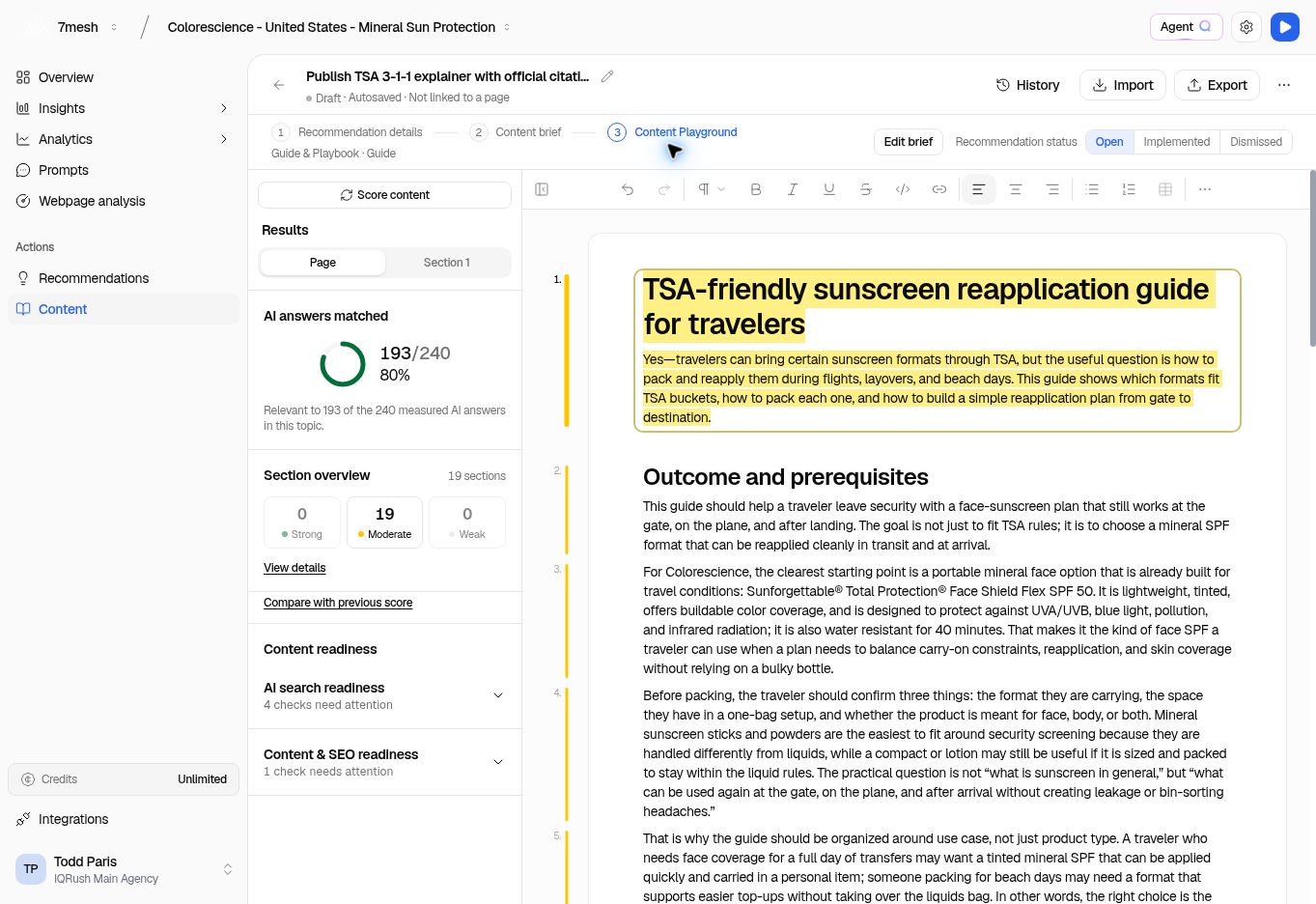
Content Playground with a saved Colorescience draft, analysis on the left, and the editor on the right.

The draft is on the right. Content analysis is on the left. The top row links the document to its brief and recommendation when it has them.

Get oriented

Check the title at the top. Use the rename control beside it if the document needs a clearer name. The header shows the writing status and save state, such as Draft · Autosaved. It also shows whether the draft is linked to a page. For recommendation-based content, use Recommendation details, Content brief, and Content Playground to move through the task. Edit brief returns to the writing instructions.

Write and format

  1. Click in the document and edit the text.
  2. Use the formatting toolbar for headings, bold, italics, links, and lists.
  3. Use Undo if you want to reverse a recent edit.
  4. Wait for Autosaved before leaving the page.
  5. Return with Back to Content when you are finished for now.
Use headings that tell the reader what each section covers. Review facts, links, product details, and claims in any generated draft before treating it as ready. Collapse analysis gives the editor more room. Open the analysis again when you are ready to check the content.

Work with Agent Q

You can start with Write with Agent Q from the brief. In the editor, Agent Q can help with a revision using the current content context. Read the proposed revision before choosing Apply to content. Choose Discard if it does not fit. Check whether the proposal covers a selected section or the whole document.

Import an existing draft

Choose Import to bring in Markdown, HTML, or plain text. Import replaces the document’s text; it does not append the file at the end. If the document already contains text, review the replacement dialog. It offers Keep current document or Replace document and explains that a recovery version is saved first. For a Word or PDF draft, export or convert it to a supported import format before using this control. The editor’s import formats differ from the formats accepted for brand guidelines.

Keep the next step clear

Editing, scoring, and exporting are separate actions. After editing, update the score if needed. After review, export and publish through your usual publishing process.

Ask Agent Q for a focused revision

“Revise this section to address the missing question. Preserve the facts and show the proposed change.” Check the attached section or document context, then review the Suggested revision before applying it. See more questions and reports. Next: Check content scores.