

Choose a starting point
A new blank draft does not have the same citation history as an existing page. Choose the starting point that matches the work you are doing.
Open an existing page
- Select Open existing content.
- Use Search by page title or URL… to find the page.
- Select the matching title and URL.
- Review the draft and its page link after it opens.
Find a saved item
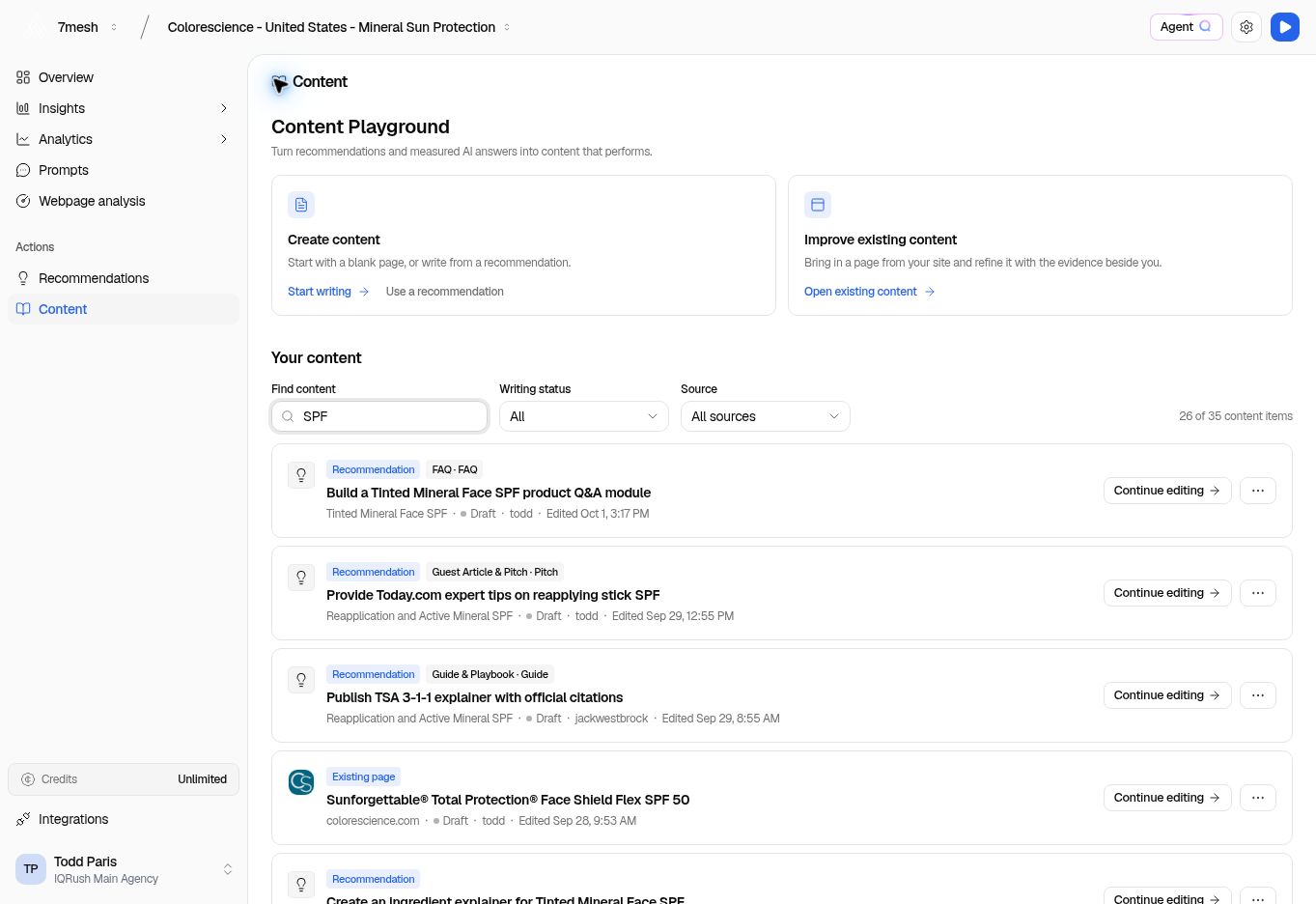
Find content searches the library. The screenshot is filtered, so its count is smaller than the complete library.
- Enter part of the title in Find content.
- Use Writing status to narrow the stage of work.
- Use Source to choose Recommendations, Existing pages, or My drafts.
- Check the item’s title, source, and last edit details.
- Choose Continue editing.