Before handing off a draft, check the facts, the brief, and the text your reader will see.

Use the editorial checklist

  1. Open the document in Content Playground.
  2. Select More actions (the three-dot menu beside Export).
  3. Select Notes and checklist.
  4. Add useful handoff information in Editorial notes.
  5. Complete the review checks after doing the review.
  6. Select Mark ready for review when it becomes available.
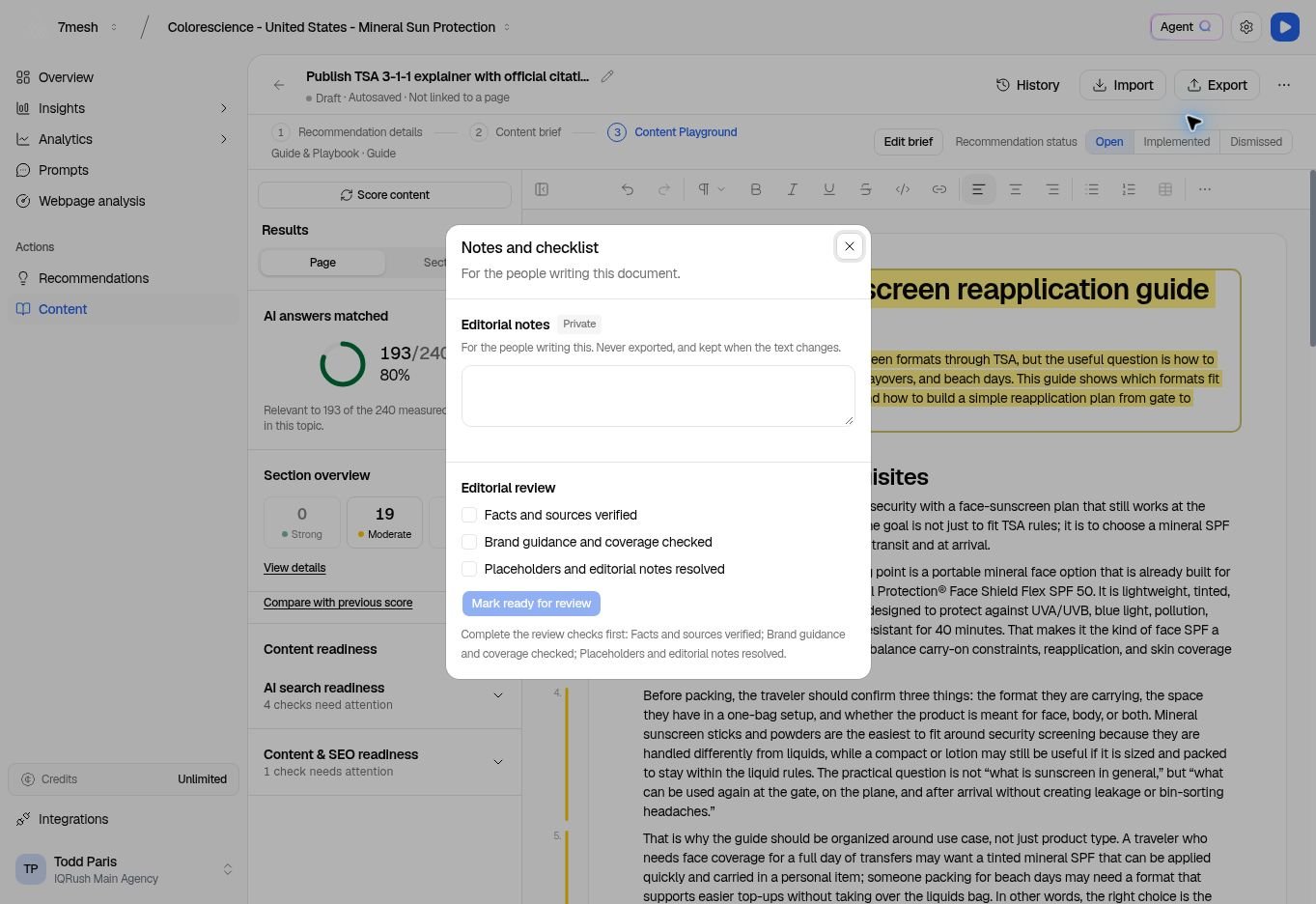
Notes and checklist with editorial notes and the three review checks.

The button becomes available after the required review checks are complete.

The displayed checks are:
  • Facts and sources verified
  • Brand guidance and coverage checked
  • Placeholders and editorial notes resolved
Editorial notes are for the people writing the document. They are kept when the text changes and are not included in exports. Check the document body itself for any comments or placeholders you do not want readers to see. Mark ready for review sets the writing label to In review. It does not approve the content. If the text changes afterward, the review checks clear so the new text can be checked again.

Export the document

  1. Wait for Autosaved.
  2. Select Export.
  3. Choose the format.
  4. Select the download button for that format, or use Copy text when appropriate.
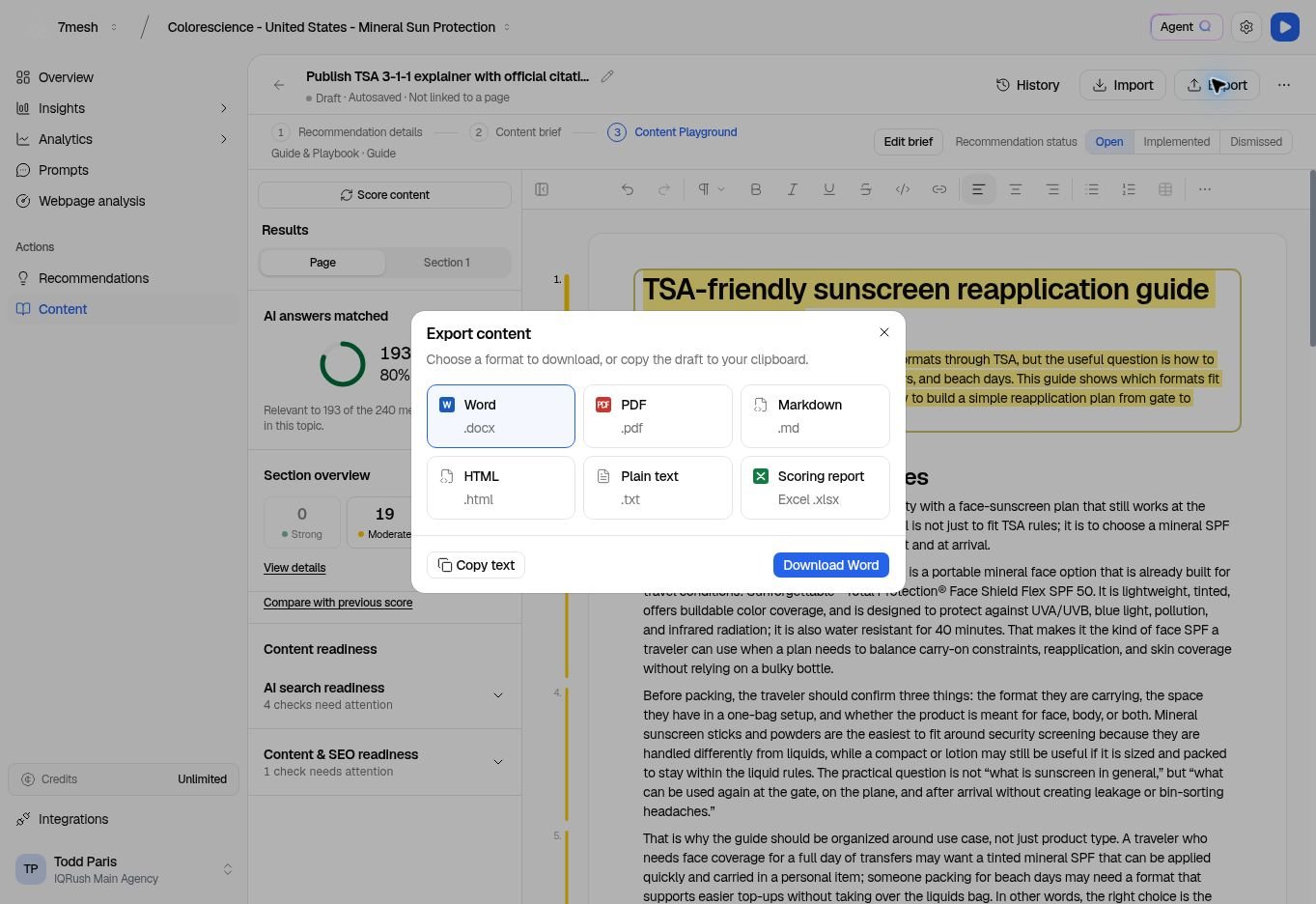
Export dialog with Word, PDF, Markdown, HTML, plain text, and scoring report options.

The download button follows your selected format.

Use the available formats shown for the document. A scoring report needs scoring information to report.

Publish and record the work

Exporting downloads a file. It does not publish to your website and does not complete the linked recommendation. Publish through your normal process, confirm the live result, then return to the recommendation to record what was completed. Next: Record implementation and review results.