> ## Documentation Index
> Fetch the complete documentation index at: https://docs.iqrush.ai/llms.txt
> Use this file to discover all available pages before exploring further.
# Record completed work and check what happened next
> Keep the recommendation’s status aligned with the work that has actually happened.
Keep the recommendation’s status aligned with the work that has actually happened.
| Status | Use it when |
| - | - |
| **Open** | The recommendation still needs a decision or work. |
| **Implemented** | The action has been completed and recorded. |
| **Dismissed** | You have decided not to pursue this recommendation and recorded a reason. |
Writing status is separate. A content item can be **In review** while its recommendation remains **Open**.
## Record implementation
1. Open the recommendation’s detail page.
2. Select **Record implementation**.
3. Complete the fields below.
4. Select **Record completed action**.
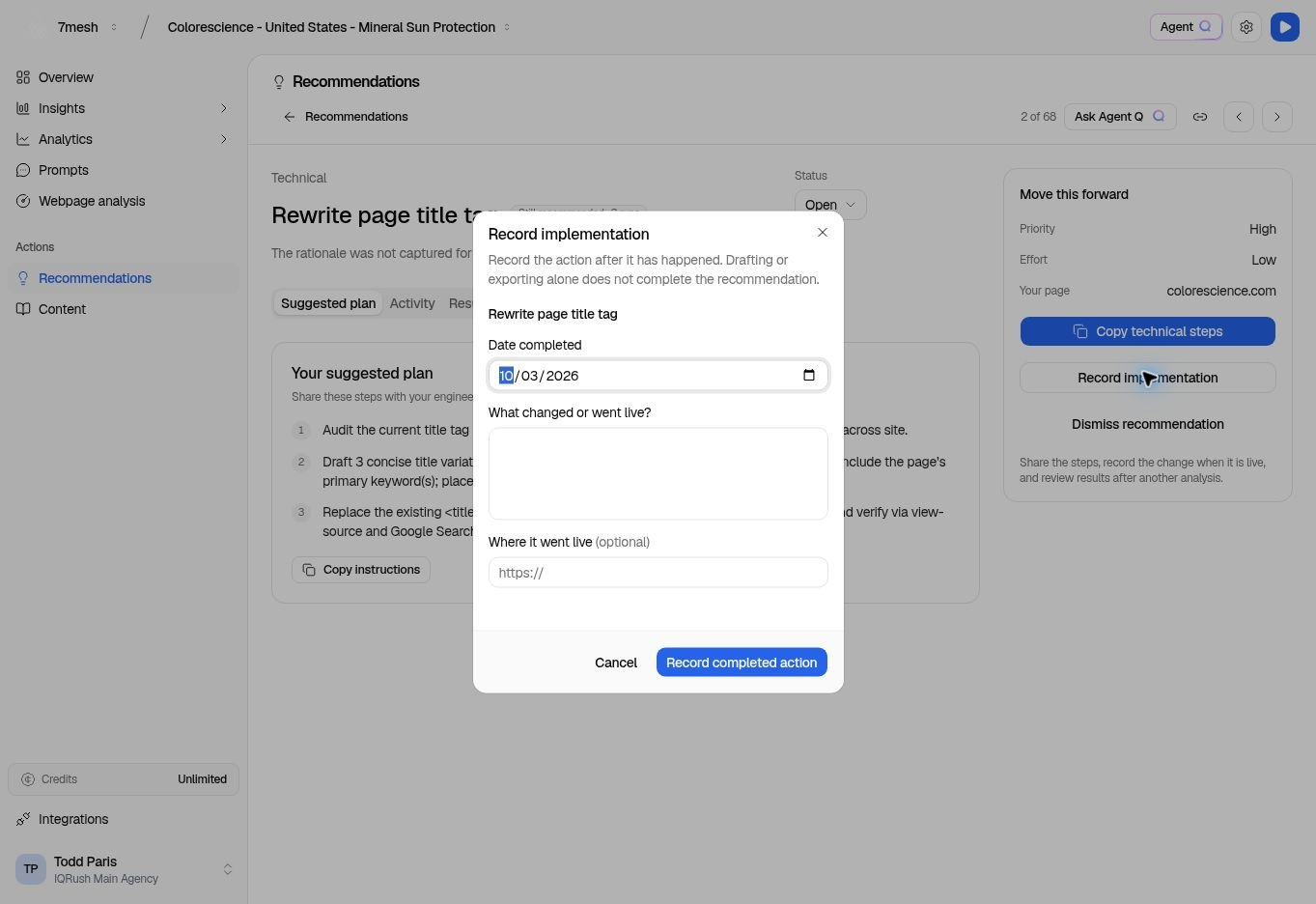 | Field | What to enter |
| - | - |
| **Date completed** | The date the action was completed. |
| **What changed or went live?** | A short, specific description of the completed work. |
| **Where it went live (optional)** | The live page or other location, if there is one. |
For example, describe which page title changed and when it went live. Avoid a note such as “done” that gives a future reviewer no context.
## Dismiss an unsuitable recommendation
Choose **Dismiss recommendation**, enter a **Reason for dismissing**, and select **Dismiss**. The reason is required; the dialog shows the length limit.
Use the status filter to find dismissed work later. If you decide to pursue it, return it to **Open** using its status control.
## Review activity and results
**Activity** records the recommendation’s history. **Results** shows the available outcome information.
After implementation, a future analysis run can provide evidence of what changed. The page may show **Impact comes next** while it is waiting for that comparison.
Read the dates, measure, and explanation in **Impact after implementation** when an outcome becomes available. If the result is absent or cannot be compared, follow that message rather than treating it as a zero.
Before treating a displayed improvement as a result to act on, open **Trend analysis** and review the relevant runs, confidence intervals, and change assessment. Check **Results stability** in Citations as well. The outcome panel provides follow-up context; it does not replace those measurement checks.
A change after implementation is not proof that the work caused the change. For a decision-grade follow-up, keep the measurement scope consistent, distinguish significant movement from normal answer variation, and consider the other work or changes that occurred in the same period.
**Next:** [Compare the later run](/guides/11-trends).
This documentation is built and hosted on [Mintlify](https://mintlify.com), a developer documentation platform.
| Field | What to enter |
| - | - |
| **Date completed** | The date the action was completed. |
| **What changed or went live?** | A short, specific description of the completed work. |
| **Where it went live (optional)** | The live page or other location, if there is one. |
For example, describe which page title changed and when it went live. Avoid a note such as “done” that gives a future reviewer no context.
## Dismiss an unsuitable recommendation
Choose **Dismiss recommendation**, enter a **Reason for dismissing**, and select **Dismiss**. The reason is required; the dialog shows the length limit.
Use the status filter to find dismissed work later. If you decide to pursue it, return it to **Open** using its status control.
## Review activity and results
**Activity** records the recommendation’s history. **Results** shows the available outcome information.
After implementation, a future analysis run can provide evidence of what changed. The page may show **Impact comes next** while it is waiting for that comparison.
Read the dates, measure, and explanation in **Impact after implementation** when an outcome becomes available. If the result is absent or cannot be compared, follow that message rather than treating it as a zero.
Before treating a displayed improvement as a result to act on, open **Trend analysis** and review the relevant runs, confidence intervals, and change assessment. Check **Results stability** in Citations as well. The outcome panel provides follow-up context; it does not replace those measurement checks.
A change after implementation is not proof that the work caused the change. For a decision-grade follow-up, keep the measurement scope consistent, distinguish significant movement from normal answer variation, and consider the other work or changes that occurred in the same period.
**Next:** [Compare the later run](/guides/11-trends).
This documentation is built and hosted on [Mintlify](https://mintlify.com), a developer documentation platform.