> ## Documentation Index
> Fetch the complete documentation index at: https://docs.iqrush.ai/llms.txt
> Use this file to discover all available pages before exploring further.
# Understand what AI answers say about your brand
> Open Insights → Sentiment to review the tone of recorded brand mentions.
Open **Insights → Sentiment** to review the tone of recorded brand mentions.
 ## Review the overall picture
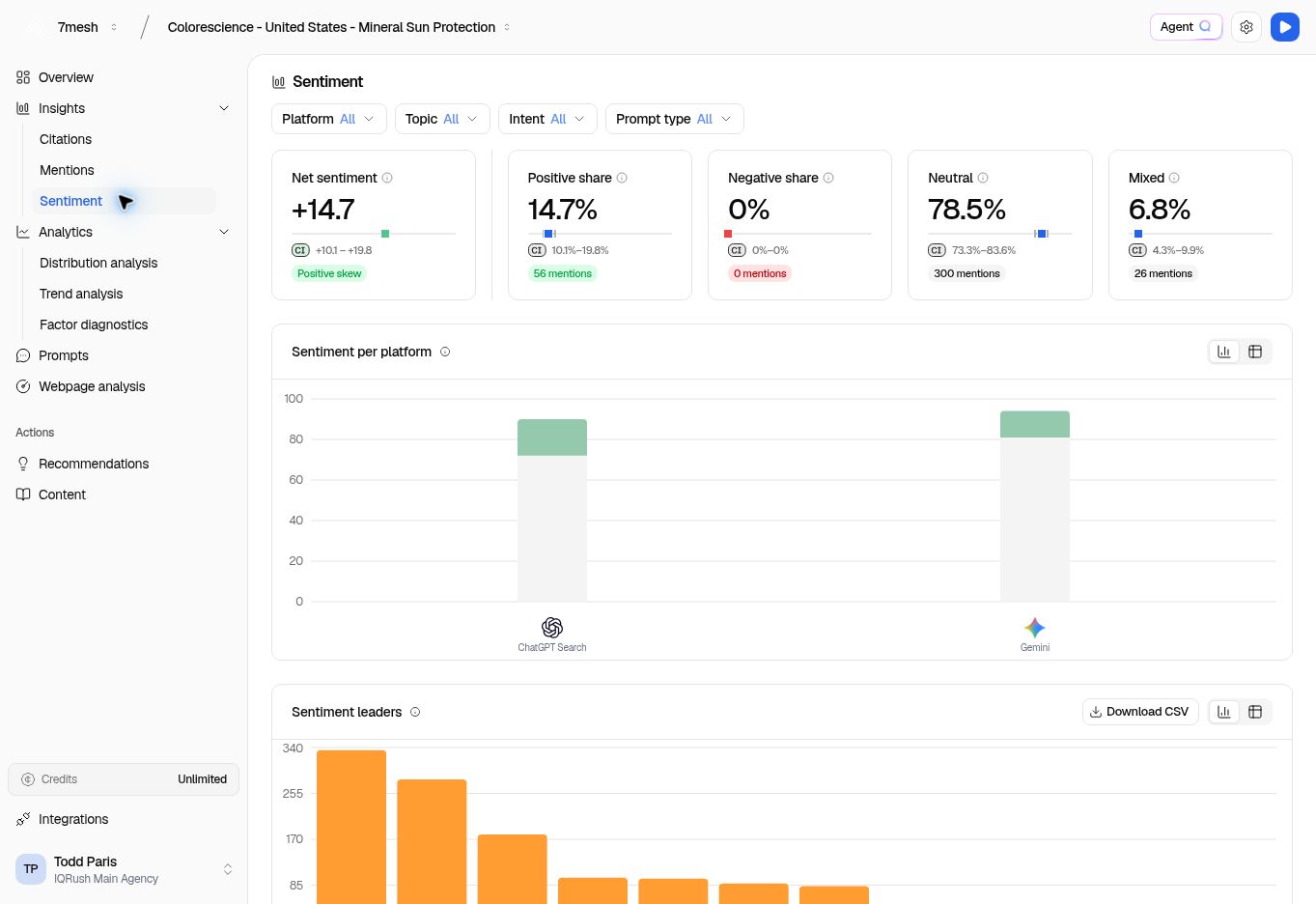
1. Set **Platform**, **Topic**, **Intent**, and **Prompt type** to the group you want to understand.
2. Read **Net sentiment** for the overall direction.
3. Check **Positive share**, **Negative share**, **Neutral**, and **Mixed** for the underlying picture.
4. Review **Sentiment per platform** to see whether the result differs between engines.
5. Use **Sentiment leaders** to compare brands. Switch between chart and table where helpful; use **Download CSV** for that table’s export.
**Net sentiment** is positive share minus negative share among the analyzed mentions. A positive value means positive framing is more common; a negative value means negative framing is more common. A value near zero can reflect mostly neutral language or a balance of positive and negative mentions, so read the categories too.
The four shares describe **analyzed mentions**, not response coverage. **Neutral** means neither positive nor negative; **Mixed** includes praise and criticism together. Read the confidence interval and mention count before drawing a strong conclusion from a small set of examples. If the view reports insufficient data, the apparent score does not establish a precise sentiment result.
## Read examples before deciding what to change
In **Narratives & examples**, use **Brand**, **Sentiment**, and **Sort by** to find relevant statements.
Read the actual wording. A negative statement might concern price, suitability for a particular use, or another specific point. Your response should address the point the evidence supports.
Some examples may show **No citation**. That means there is no cited source attached to that example in the view; do not describe it as independently sourced.
## Put sentiment alongside visibility
A favorable statement and frequent mentions are different findings. Review Mentions if you want to know how widely your brand appears, and Citations if you want to know whether your website is being used as a source.
When sharing a finding with your team, include the topic, platform, and a representative example. That is more useful than sharing the sentiment score on its own.
## Ask about brand perception
“What do the measured answers say positively and negatively about our brand? Show the supporting statements.”
Use Agent Q or connected ChatGPT or Claude. Separate examples of wording from the aggregate sentiment measures. See more [questions and reports](/guides/31-questions-and-reports).
**Next:** [Compare your position](/guides/10-distribution) or [choose a recommendation](/guides/14-choose-recommendations).
This documentation is built and hosted on [Mintlify](https://mintlify.com), a developer documentation platform.
## Review the overall picture
1. Set **Platform**, **Topic**, **Intent**, and **Prompt type** to the group you want to understand.
2. Read **Net sentiment** for the overall direction.
3. Check **Positive share**, **Negative share**, **Neutral**, and **Mixed** for the underlying picture.
4. Review **Sentiment per platform** to see whether the result differs between engines.
5. Use **Sentiment leaders** to compare brands. Switch between chart and table where helpful; use **Download CSV** for that table’s export.
**Net sentiment** is positive share minus negative share among the analyzed mentions. A positive value means positive framing is more common; a negative value means negative framing is more common. A value near zero can reflect mostly neutral language or a balance of positive and negative mentions, so read the categories too.
The four shares describe **analyzed mentions**, not response coverage. **Neutral** means neither positive nor negative; **Mixed** includes praise and criticism together. Read the confidence interval and mention count before drawing a strong conclusion from a small set of examples. If the view reports insufficient data, the apparent score does not establish a precise sentiment result.
## Read examples before deciding what to change
In **Narratives & examples**, use **Brand**, **Sentiment**, and **Sort by** to find relevant statements.
Read the actual wording. A negative statement might concern price, suitability for a particular use, or another specific point. Your response should address the point the evidence supports.
Some examples may show **No citation**. That means there is no cited source attached to that example in the view; do not describe it as independently sourced.
## Put sentiment alongside visibility
A favorable statement and frequent mentions are different findings. Review Mentions if you want to know how widely your brand appears, and Citations if you want to know whether your website is being used as a source.
When sharing a finding with your team, include the topic, platform, and a representative example. That is more useful than sharing the sentiment score on its own.
## Ask about brand perception
“What do the measured answers say positively and negatively about our brand? Show the supporting statements.”
Use Agent Q or connected ChatGPT or Claude. Separate examples of wording from the aggregate sentiment measures. See more [questions and reports](/guides/31-questions-and-reports).
**Next:** [Compare your position](/guides/10-distribution) or [choose a recommendation](/guides/14-choose-recommendations).
This documentation is built and hosted on [Mintlify](https://mintlify.com), a developer documentation platform.